> ## Documentation Index
> Fetch the complete documentation index at: https://support.visualcare.com.au/llms.txt
> Use this file to discover all available pages before exploring further.
# Form builder
> Understand how form templates are built, edited, and configured in Visualcare
Form templates in Visualcare are built using JotForm and uploaded to VCore. Visualcare provides 16 standard form templates out of the box, and custom templates can be built by request through the Visualcare support team.
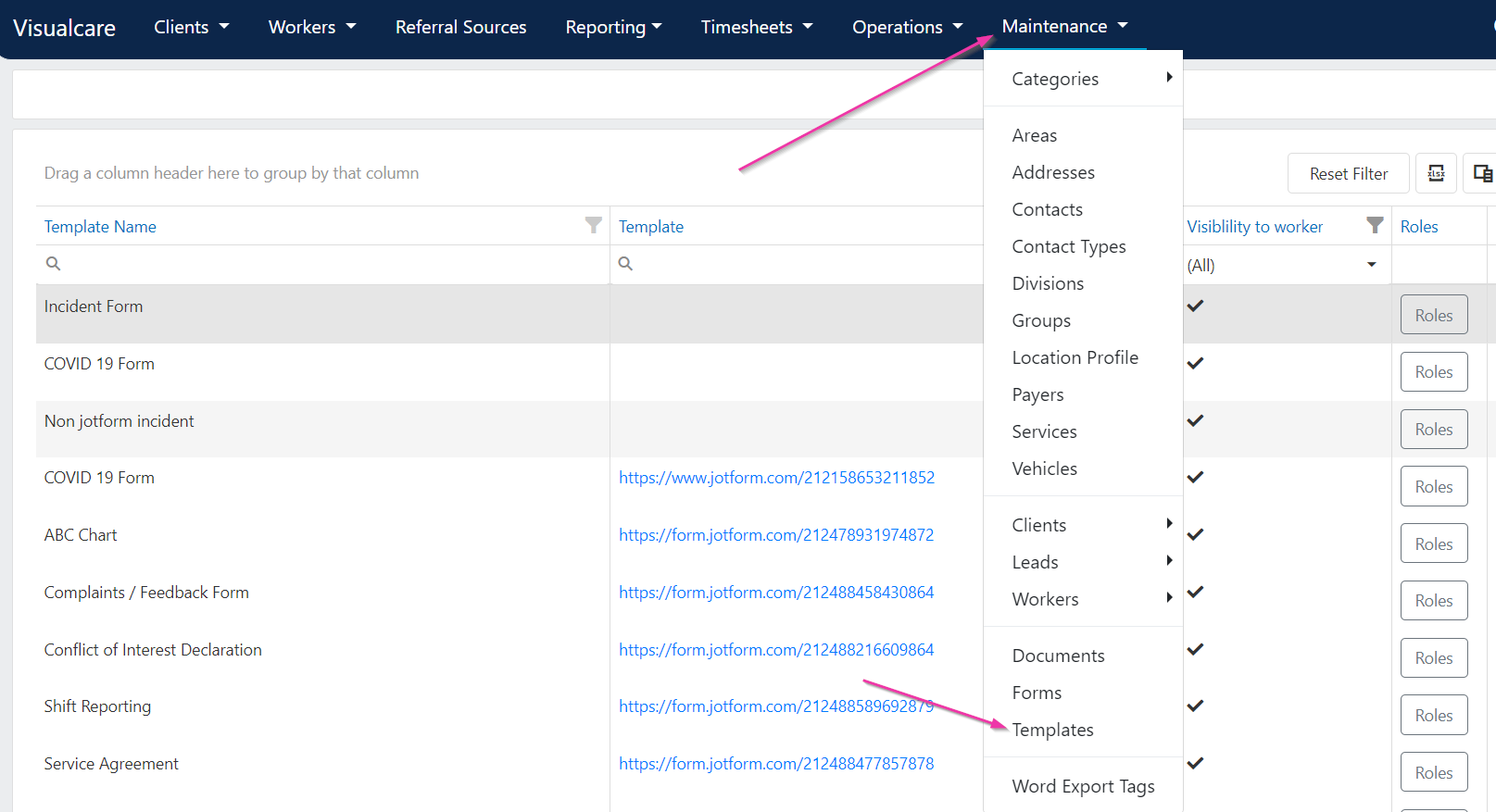
All uploaded templates are managed under **Maintenance** → **Templates**.
 ## How form templates work
Form templates use JotForm as the underlying form builder. Once a template is uploaded to Visualcare, it becomes available for workers and office users to complete against client or worker profiles.
New JotForm build requests can be directed to the Visualcare support team at [support@visualcare.com.au](mailto:support@visualcare.com.au).
## Editing form settings
Click **Edit** on a template to manage its settings. From the edit window, forms can be:
1. Marked as **Visible to worker** to allow workers to fill the template from the Vworker app
2. Added to the onboarding portal, vOnboard, for workers to complete during onboarding
3. Assigned as the shift start form by ticking **Is Start Form**
4. Assigned as the incident form by ticking **Is Incident Form**
5. Assigned as the shift completion form by ticking **Is Completion Form**
## How form templates work
Form templates use JotForm as the underlying form builder. Once a template is uploaded to Visualcare, it becomes available for workers and office users to complete against client or worker profiles.
New JotForm build requests can be directed to the Visualcare support team at [support@visualcare.com.au](mailto:support@visualcare.com.au).
## Editing form settings
Click **Edit** on a template to manage its settings. From the edit window, forms can be:
1. Marked as **Visible to worker** to allow workers to fill the template from the Vworker app
2. Added to the onboarding portal, vOnboard, for workers to complete during onboarding
3. Assigned as the shift start form by ticking **Is Start Form**
4. Assigned as the incident form by ticking **Is Incident Form**
5. Assigned as the shift completion form by ticking **Is Completion Form**
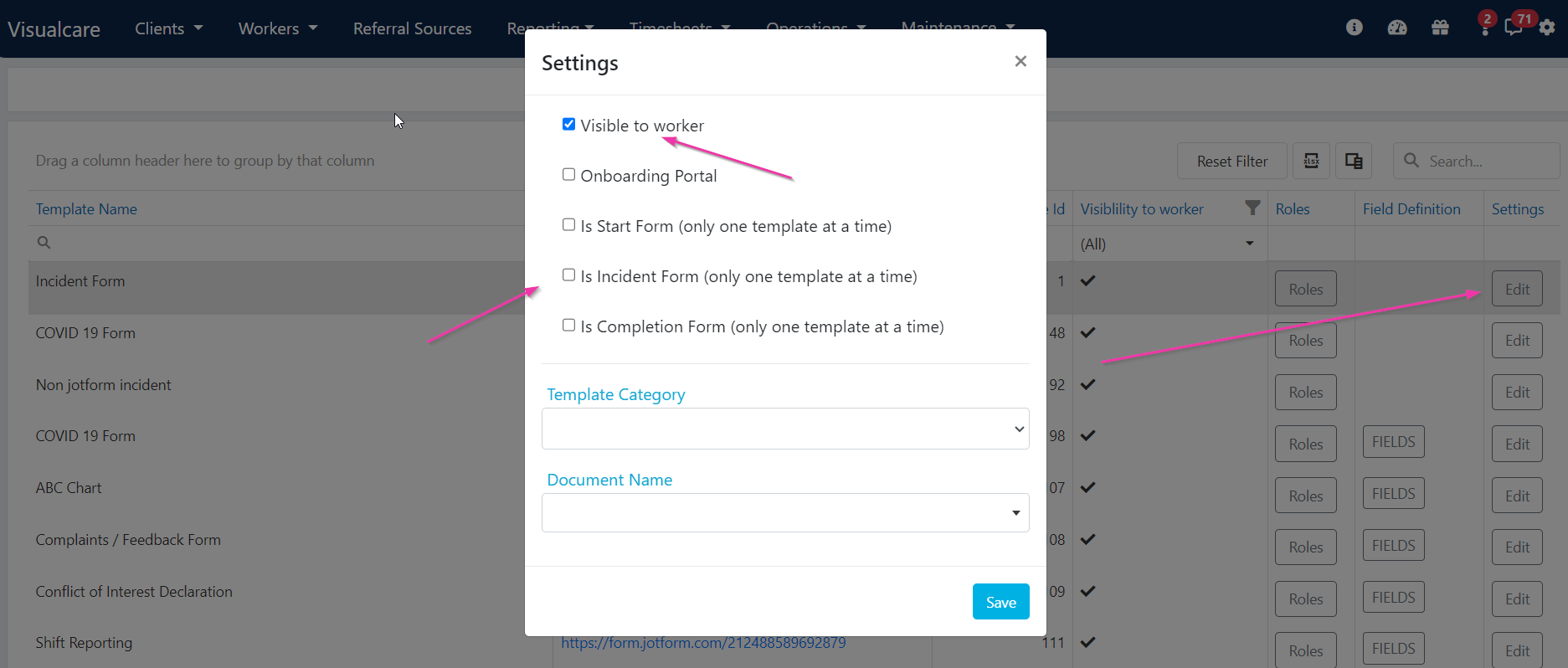 Start and completion forms pop up for workers in Vworker when they start or complete their shift. Only one template can be selected at a time for incident, start, and completion forms.
## Viewing form template types
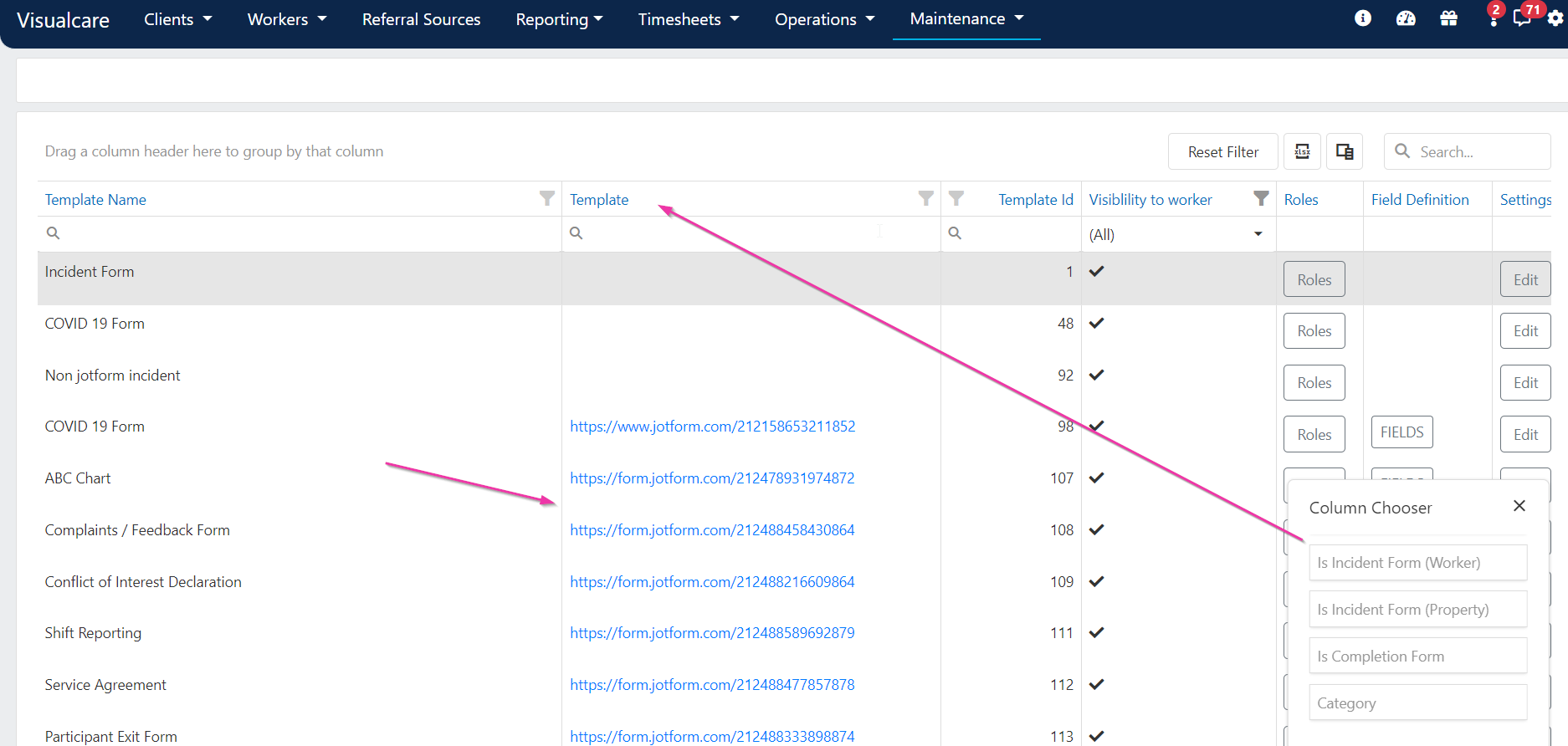
You can view the form template type by dragging the relevant column out of the **Column Chooser**. This column then contains links to view the form template.
Start and completion forms pop up for workers in Vworker when they start or complete their shift. Only one template can be selected at a time for incident, start, and completion forms.
## Viewing form template types
You can view the form template type by dragging the relevant column out of the **Column Chooser**. This column then contains links to view the form template.
 ## Word export tags
Field definitions contain word export tags that export information from a completed form into a Word document. For more information, see [Word templates](/operations/word-templates).
## Running into issues?
See [General troubleshooting](/troubleshooting/general) for common errors and fixes.
## Related articles
Manage template visibility and compliance linking
Create forms on client and worker profiles
View, edit, and manage completed forms
Upload and manage Word document templates
## Word export tags
Field definitions contain word export tags that export information from a completed form into a Word document. For more information, see [Word templates](/operations/word-templates).
## Running into issues?
See [General troubleshooting](/troubleshooting/general) for common errors and fixes.
## Related articles
Manage template visibility and compliance linking
Create forms on client and worker profiles
View, edit, and manage completed forms
Upload and manage Word document templates