
Disabling a user
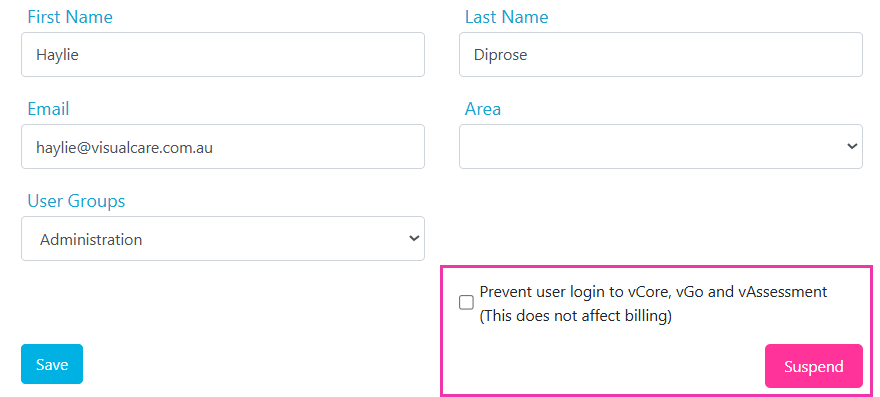
Disabling prevents a user from logging in while keeping their account in the user list. Use this for temporary situations like leave or a role change.- Select the user from the list on the left
- Tick the Prevent user login checkbox
- Click Save
Suspending a user
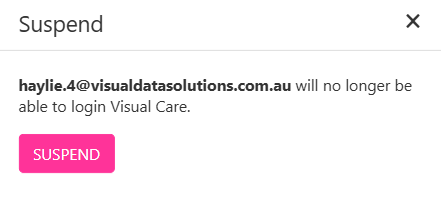
Suspending removes the user from the user list entirely. Use this when someone has permanently left your organisation.- Select the user from the list on the left
- Click Suspend
- In the confirmation popup, click Suspend again to confirm
Which method to use
Running into issues?
See Login and access troubleshooting for common login and permission problems.Related articles
Creating users
Add new user accounts and assign groups
User group security
Configure permissions for user groups
Resetting your password
Get back into an account with an administrator password reset