
Adding an expense
Open the client profile and navigate to the Expenses tab.
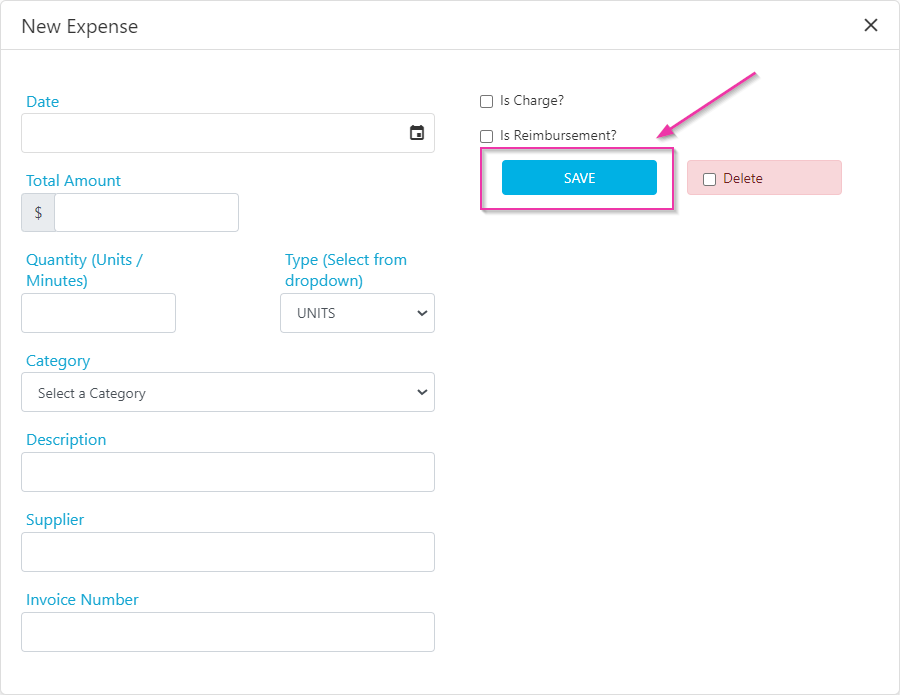
Managing expenses
Once an expense is entered:- Use Edit to make changes
- Use Upload to attach relevant invoices or receipts
Only the latest uploaded file is saved per expense.

Expense categories
Expense categories are managed under Maintenance → Categories.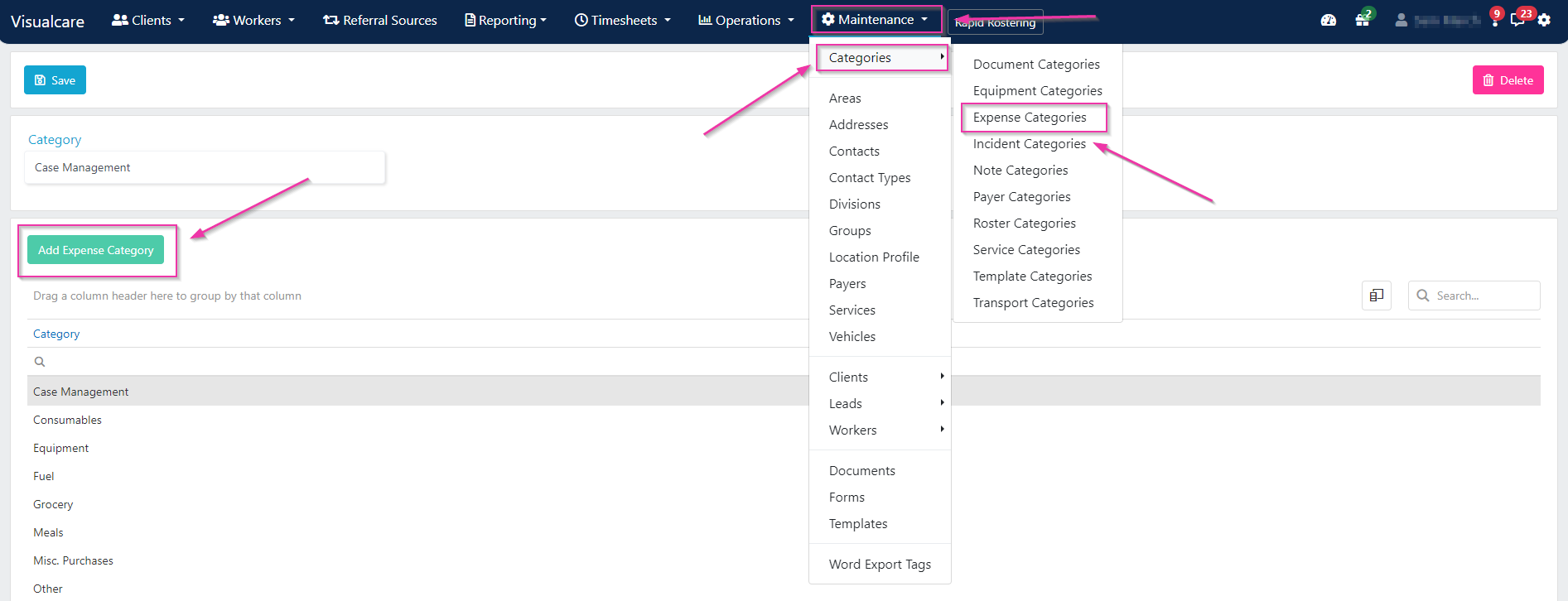
Charging and reimbursing
Expenses from vWorker
Workers can submit expenses through the vWorker mobile app. These appear on the client’s Expenses tab in Visualcare, where you can edit them to mark them as chargeable or payable before exporting.Exporting expenses
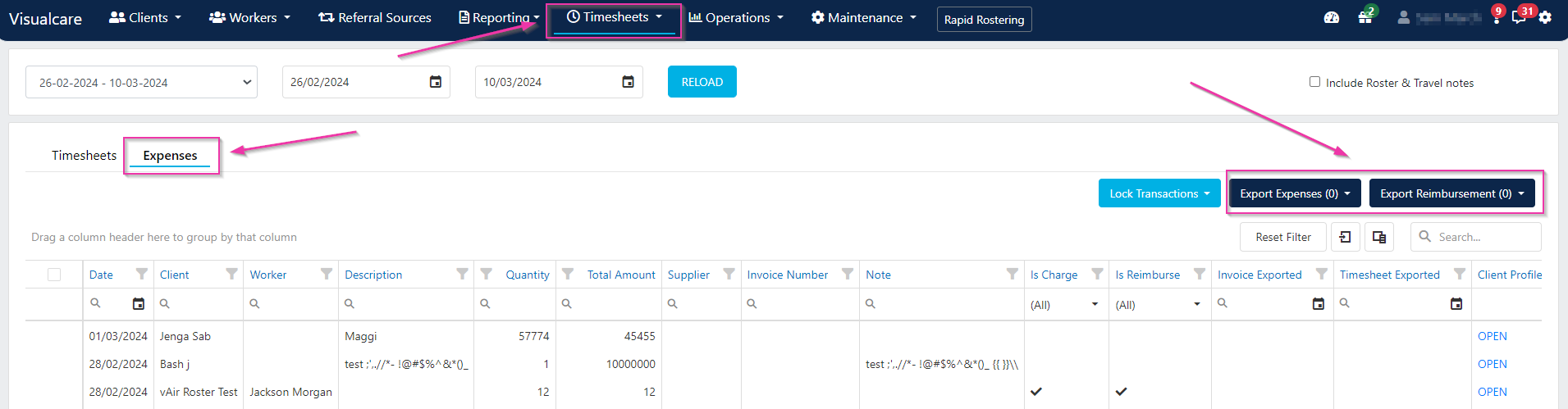
To export expenses, navigate to Timesheets → Data Export and open the Expenses tab. Select the expenses you want to export, then choose the appropriate export action:- Click Export Expenses to export client charges as an invoice
- Click Export Reimbursements to export worker reimbursements
Running into issues?
See Client management troubleshooting for common errors and fixes.Related articles
SAH financials
Manage HCP and SAH budgets and financial exports
Creating agreements for rostering
Set up agreements that expenses link to