
Rostering reports
The following reports are available under Reports → Rostering Reports.Conflicts
This report highlights any roster conflicts. A conflict falls into one of three categories: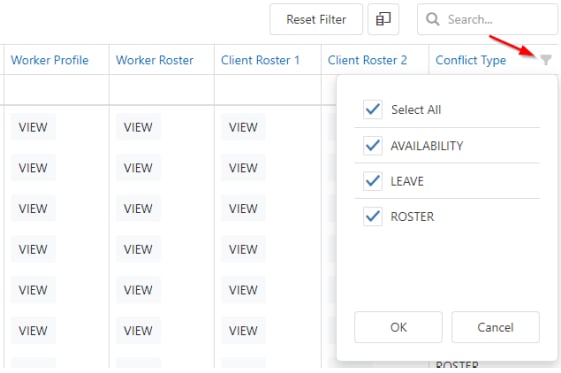
Other rostering reports
Client services provided
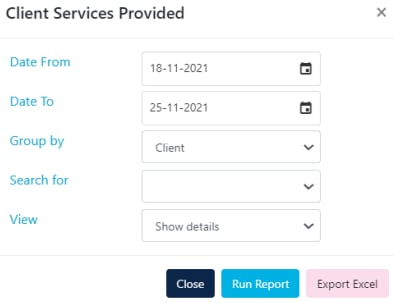
This report shows confirmed client services (timesheets) for a selected timeframe. You have several options:- Group by Client, Payer or Service
- Choose Show Details or Totals Only
- Export to Excel or run as an on-screen report
Monthly hours breakdown
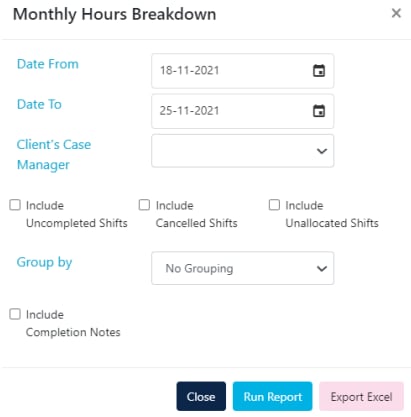
This report shows rostered items (not confirmed timesheets) for a selected date range. It’s useful for forecasting upcoming months. Options include:- Include or exclude uncompleted or cancelled shifts
- Multiple grouping options
- Export to Excel or run as an on-screen report
Service summary reports
Timesheet reports
The following reports are available under Timesheets → Timesheets.Timesheet report
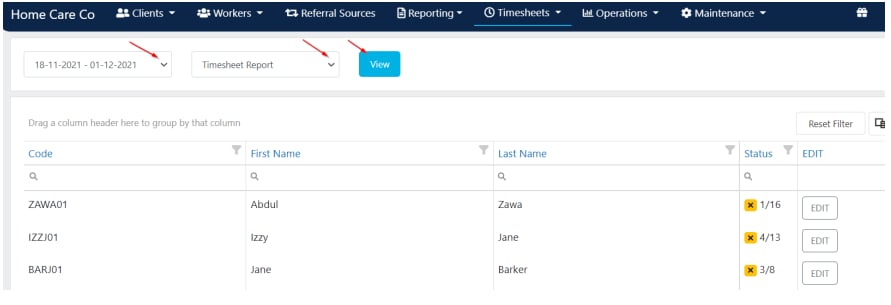
To run a timesheet report:- Go to Timesheets → Timesheets
- Select the timeframe for your payroll period
- Choose which report you want from the drop-down menu
- Click View
Other timesheet reports
Running into issues?
See General troubleshooting for common errors and fixes.Related articles
All timesheets
View and manage confirmed timesheets
Conflict management
Handle and resolve roster conflicts
Client reports
Run reports on client data
Worker reports
Run reports on worker data