
Worker compliance
Viewing worker compliance
Open a worker’s profile and go to the Compliance tab. Compliance items that apply to the worker appear here, with start dates, alert dates, and expiry dates.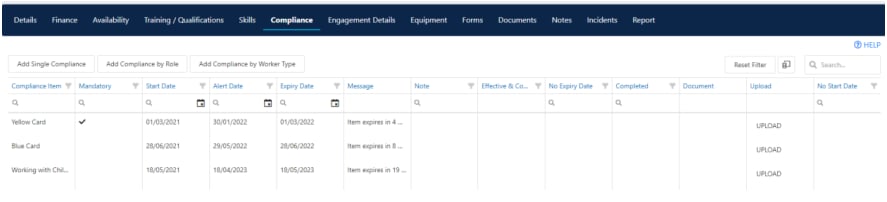
Linking compliance items to roles
You can link compliance items to specific worker roles so that only workers assigned to those roles see the relevant items.1
Set up roles
Go to Maintenance → Worker → Worker Roles and click Add Role to create the roles your organisation uses.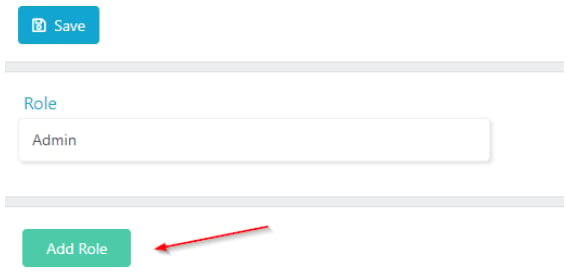
2
Assign roles to workers
Open each worker’s profile and select the appropriate role.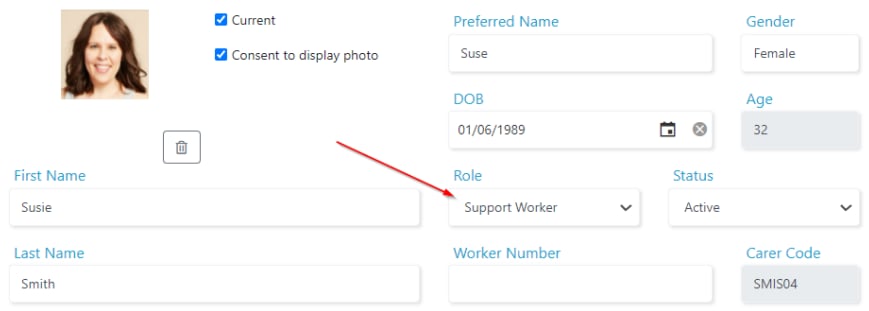
3
Link compliance items to roles
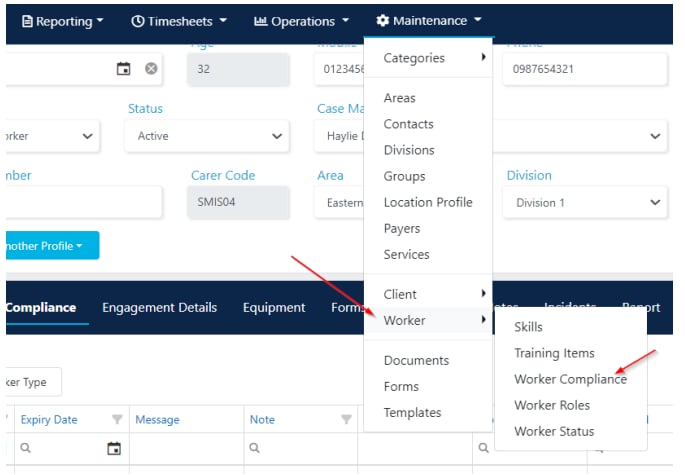
Go to Maintenance → Worker → Worker Compliance. Select a compliance item and click Role Link. Choose the roles that need this item. You can select multiple roles.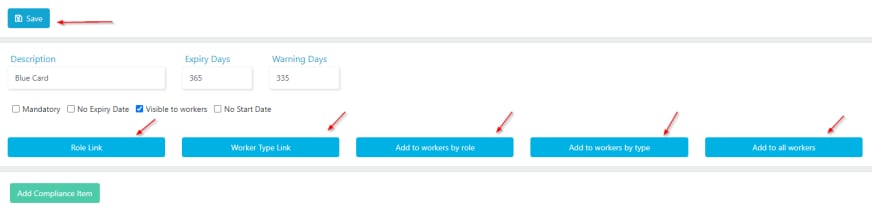
4
Add items to workers
After linking, choose how to distribute the item:
- Add to workers by role adds the item to all workers with the selected roles
-
Add to all workers adds the item to every worker regardless of role
Linking compliance items to worker types
Similar to role linking, you can link compliance items to worker types. Select a compliance item, click Worker Type Link, and choose which worker types need the item. Then use Add to workers by type to distribute it.Compliance and rostering
When you use the Worker Select button on the roster to choose a worker for a shift, Visualcare highlights workers who are compliant. By default, only workers with no expired items are shown. To include workers with expired items, select the Expired filter.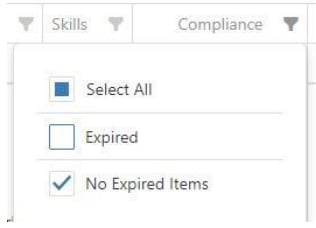
Forms compliance
Completed forms can be linked to compliance items. You can view linked forms under the Compliance tab on the worker’s profile. Click View to open the form or Unlink to remove the association.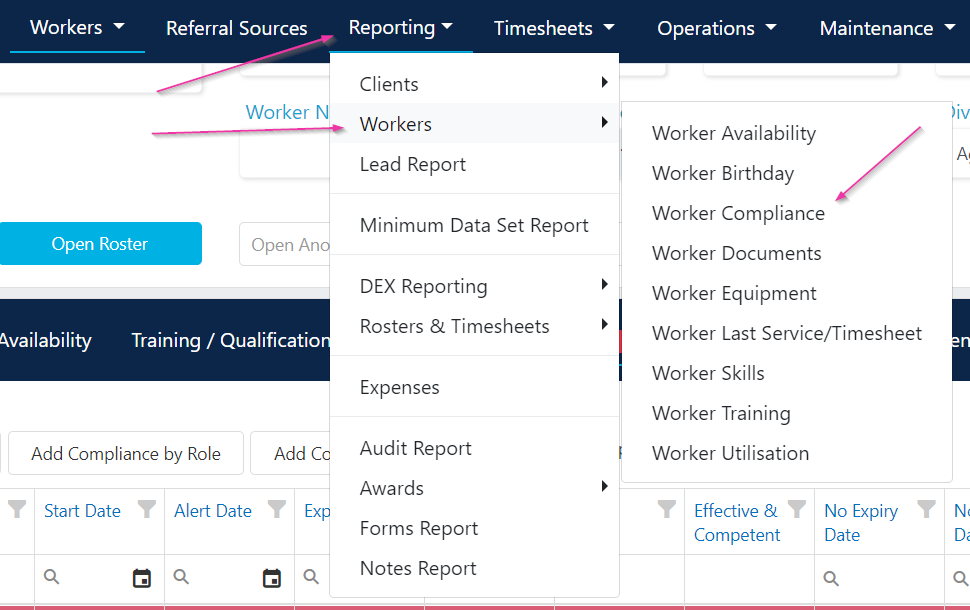

Dashboard compliance KPIs
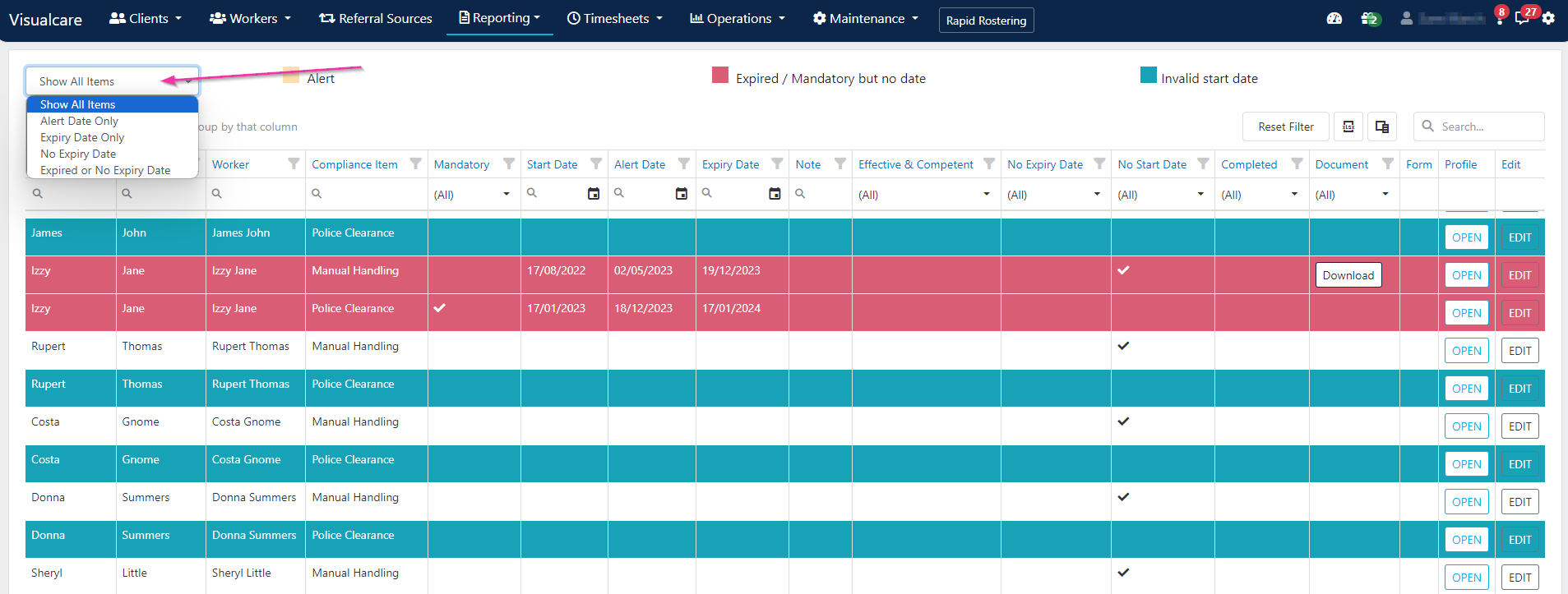
The home dashboard includes Worker Compliance and Client Compliance KPI tiles that show the number of expired compliance items across your organisation.
Running into issues?
See General troubleshooting for common errors and fixes.Related articles
Required compliance overview
Set up and manage compliance items at the organisational level
Worker audit reports
Compliance and training reports for your workforce
Managing worker compliance
Day-to-day management of individual worker compliance
Client audit reports
Audit reports and required compliance for clients