
Clients
To bulk edit client details, navigate to Operations → Bulk Edit → Clients.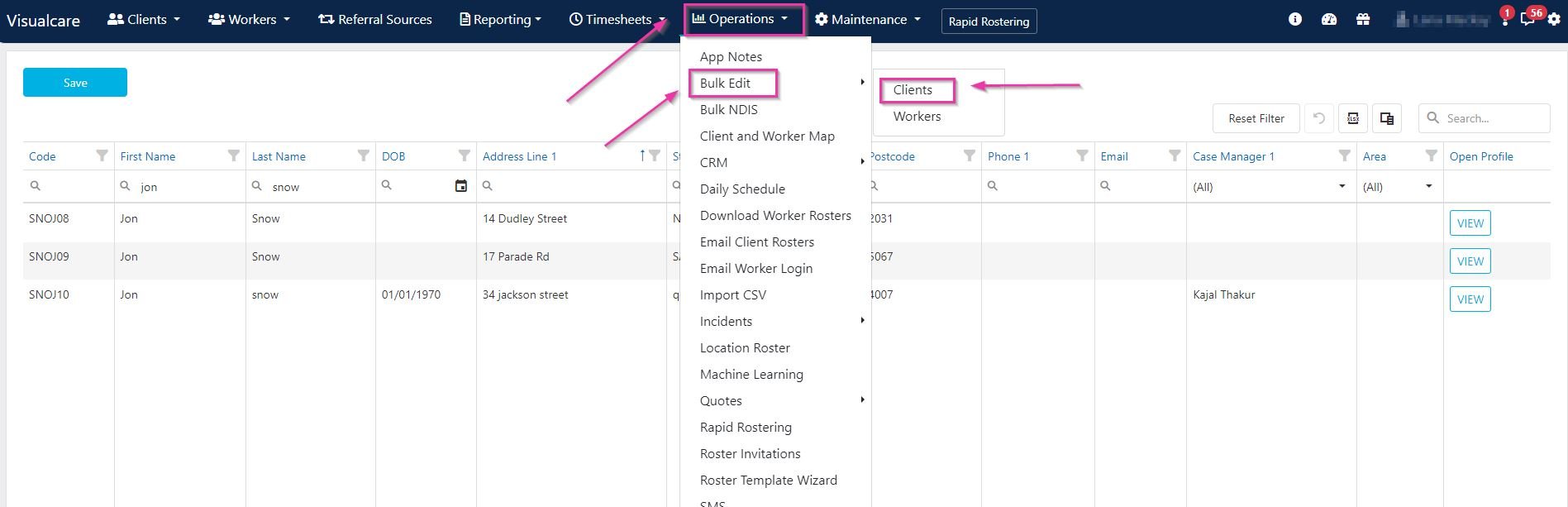
Editing client records
Double-click inside the field you want to update and type in the new information. Click Save after entering the information.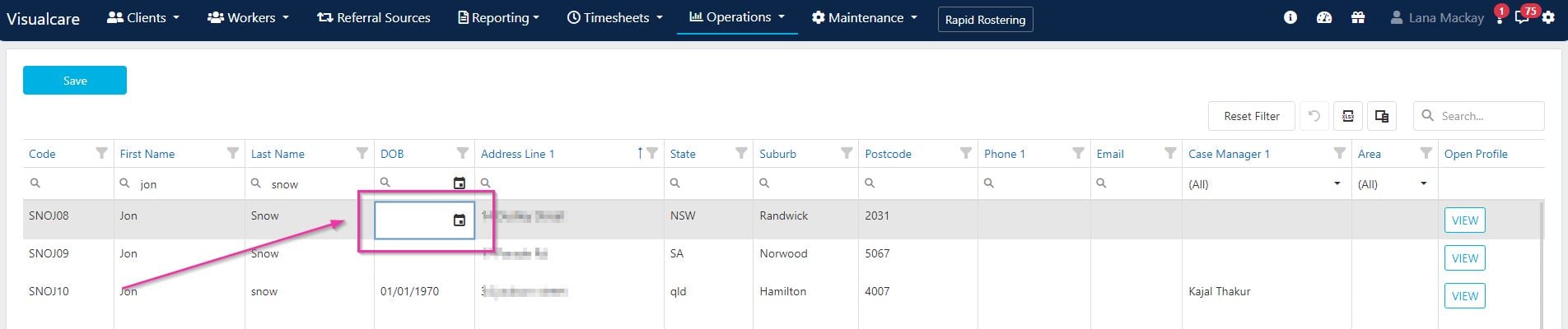
Adding columns
Use the Column Chooser to drag out additional columns for editing. This lets you display and edit fields that aren’t shown by default.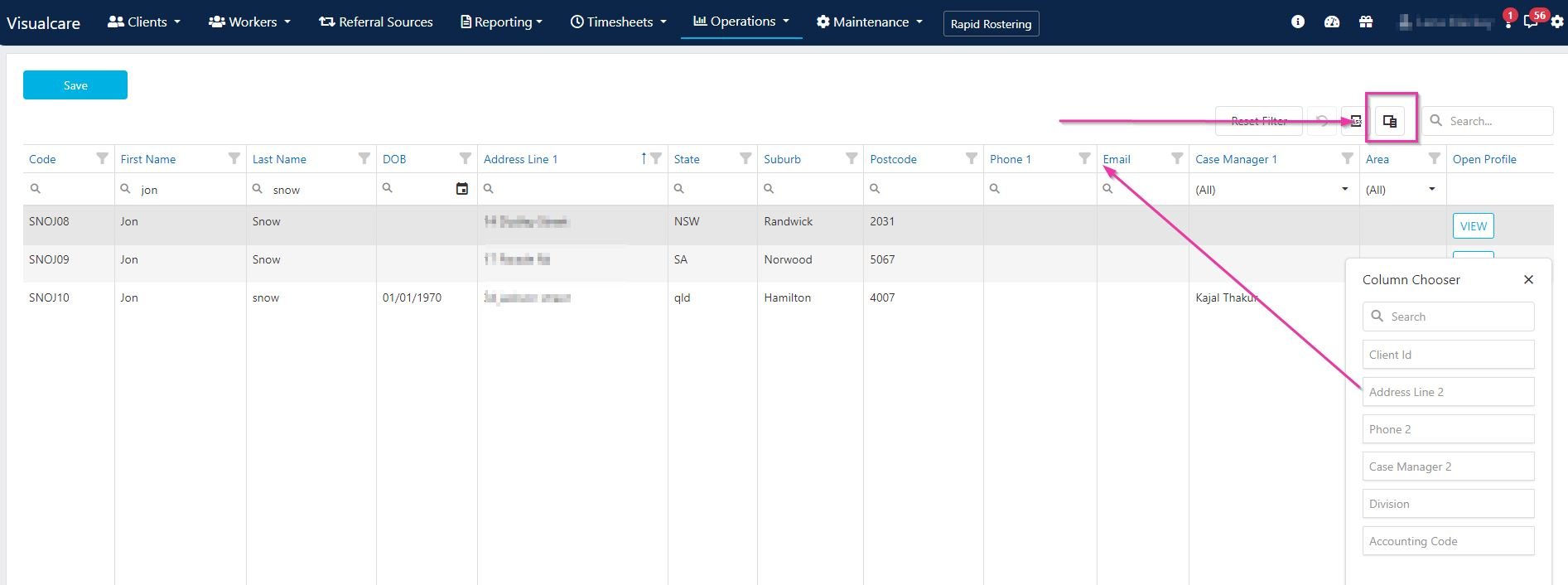
The editable fields allowed for bulk editing client profiles are DOB, Address Line 1, Address Line 2, State, Suburb, Postcode, Phone 1, Phone 2, Email, Area, Division, Accounting Code, Service Status, Case Manager 1 and Case Manager 2.
Workers
To bulk edit worker details, navigate to Operations → Bulk Edit → Workers.
Editing worker records
Double-click inside the field you want to update and type in the new information. Click Save after entering the information.
Adding columns
Use the Column Chooser to drag out additional columns for editing.The editable fields allowed for bulk editing of worker profiles are DOB, Address Line 1, Address Line 2, Suburb, State, Postcode, Phone 1, Mobile, Worker Number, Email 1, Area, Division, Case Manager, Case Manager 2, Accounting Code, Status, Availability Note, Role, Employment Type, Budget Hours and Worker Type.
Running into issues?
See General troubleshooting for common errors and fixes.Related articles
Import CSV
Import new records in bulk using CSV files
Service management
Manage services, charge rates, and pay rates
Editing drop-down lists
Customise categories, areas, divisions, and other list values