
Downloading rosters
1
Open the download page
Go to Operations → Download Worker Rosters.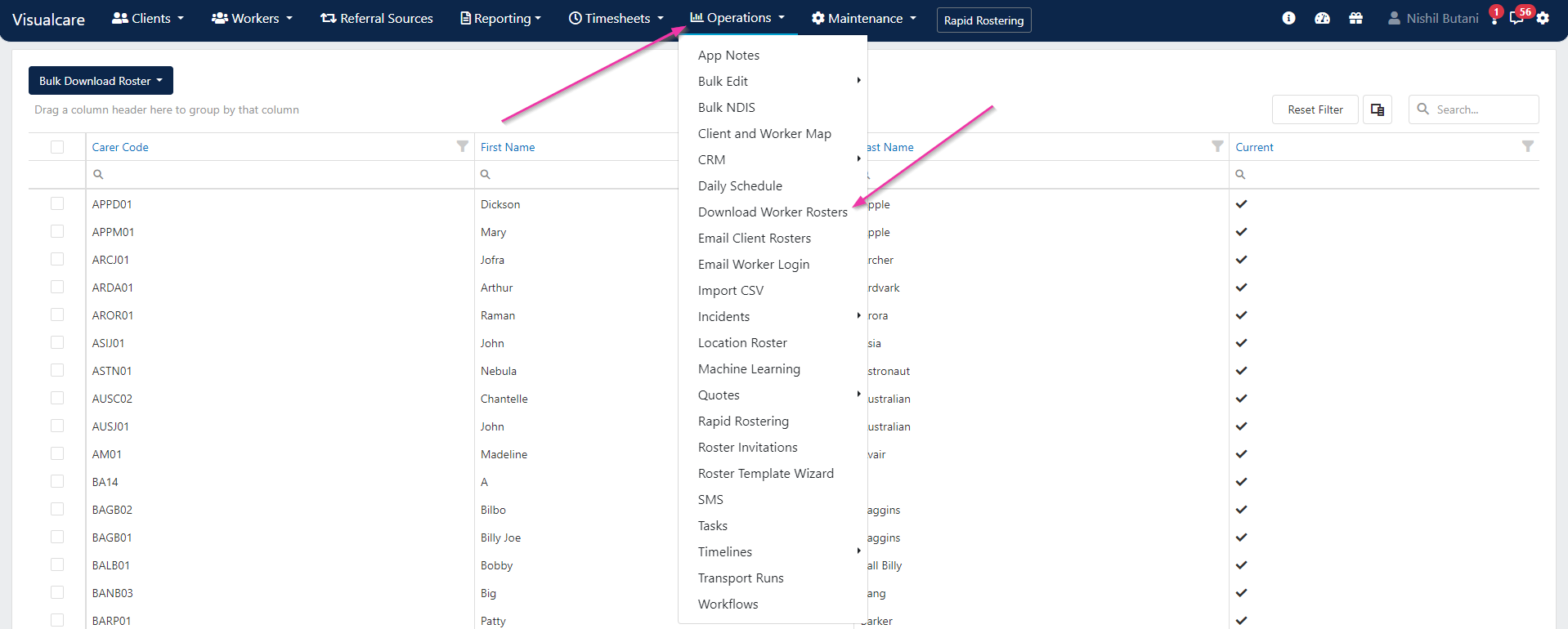
2
Select workers
From the current workers list, tick the workers you want to download rosters for. Use the Select All tick box to download all worker rosters at once.Choose whether to download rosters separately (one file per worker) or combined in one file, then click Bulk Download Roster.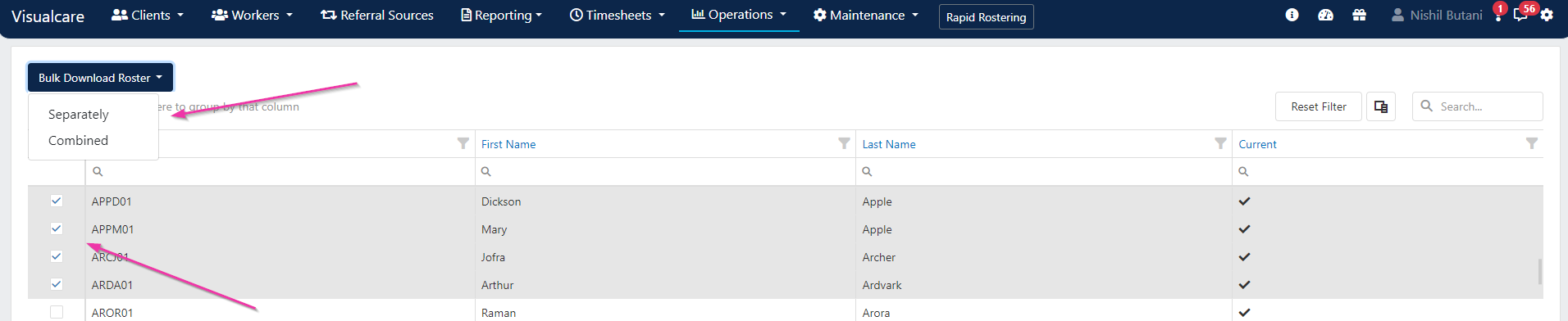
3
Confirm download details
In the confirmation dialogue, set the following: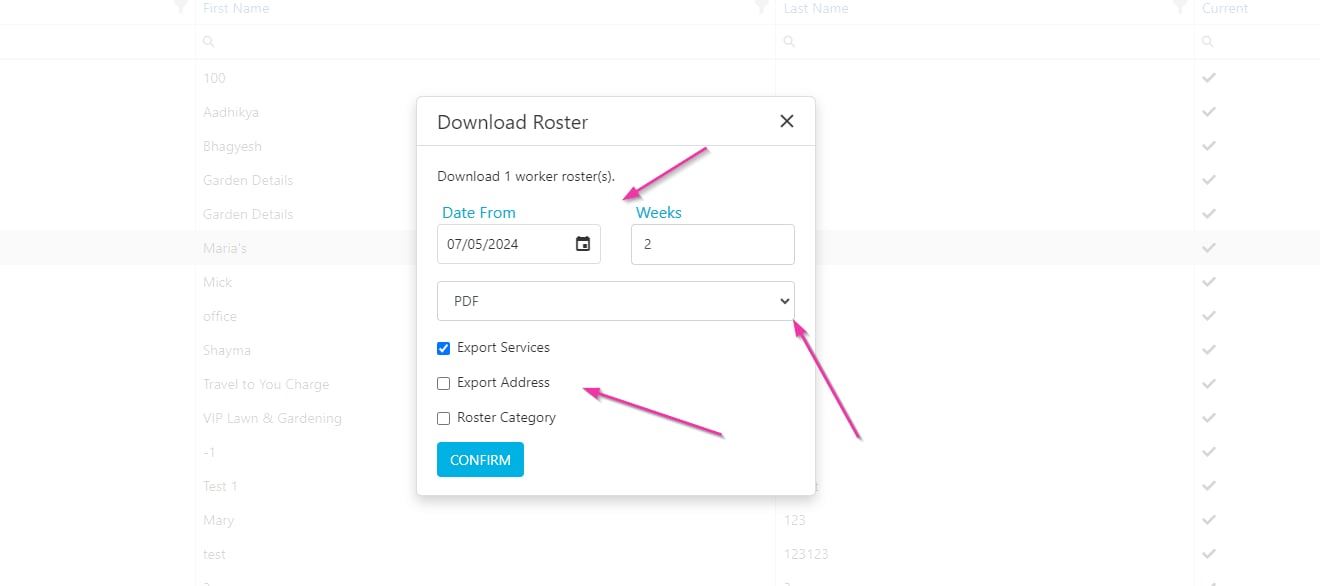
Click Confirm to start the download.
Running into issues?
See Scheduling troubleshooting for common errors and fixes.Related articles
Email client rosters
Email roster summaries to clients
Timeline views
View and manage rosters across workers and clients