
Form templates are built in JotForm and uploaded to vCore. Requests for new custom templates can be directed to the Visualcare support team at support@visualcare.com.au.
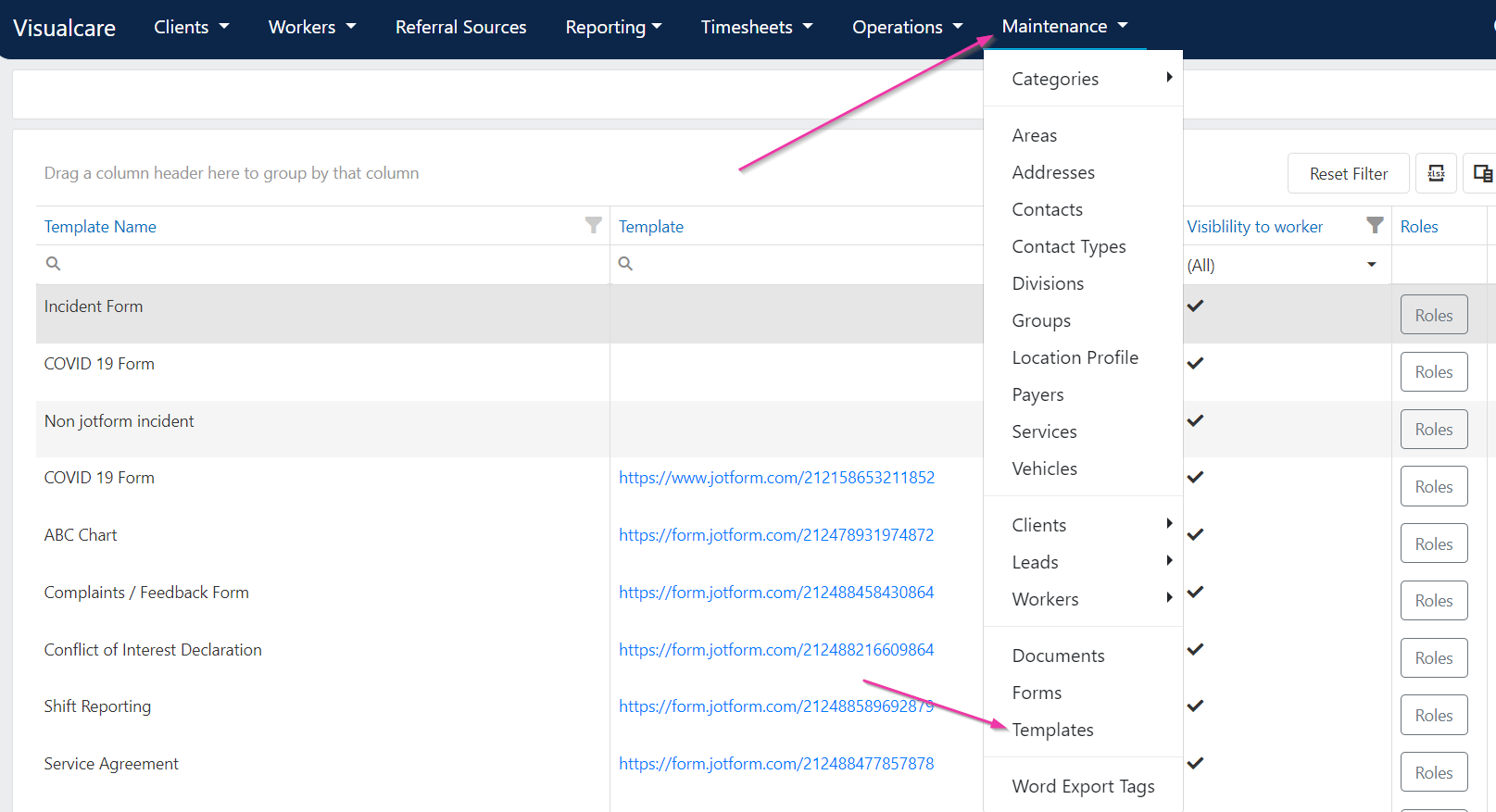
Filtering templates
You can filter the templates list by:- Template Name - search for a specific template
- Visibility to worker - show only templates visible (or not visible) to workers
Setting role-based visibility
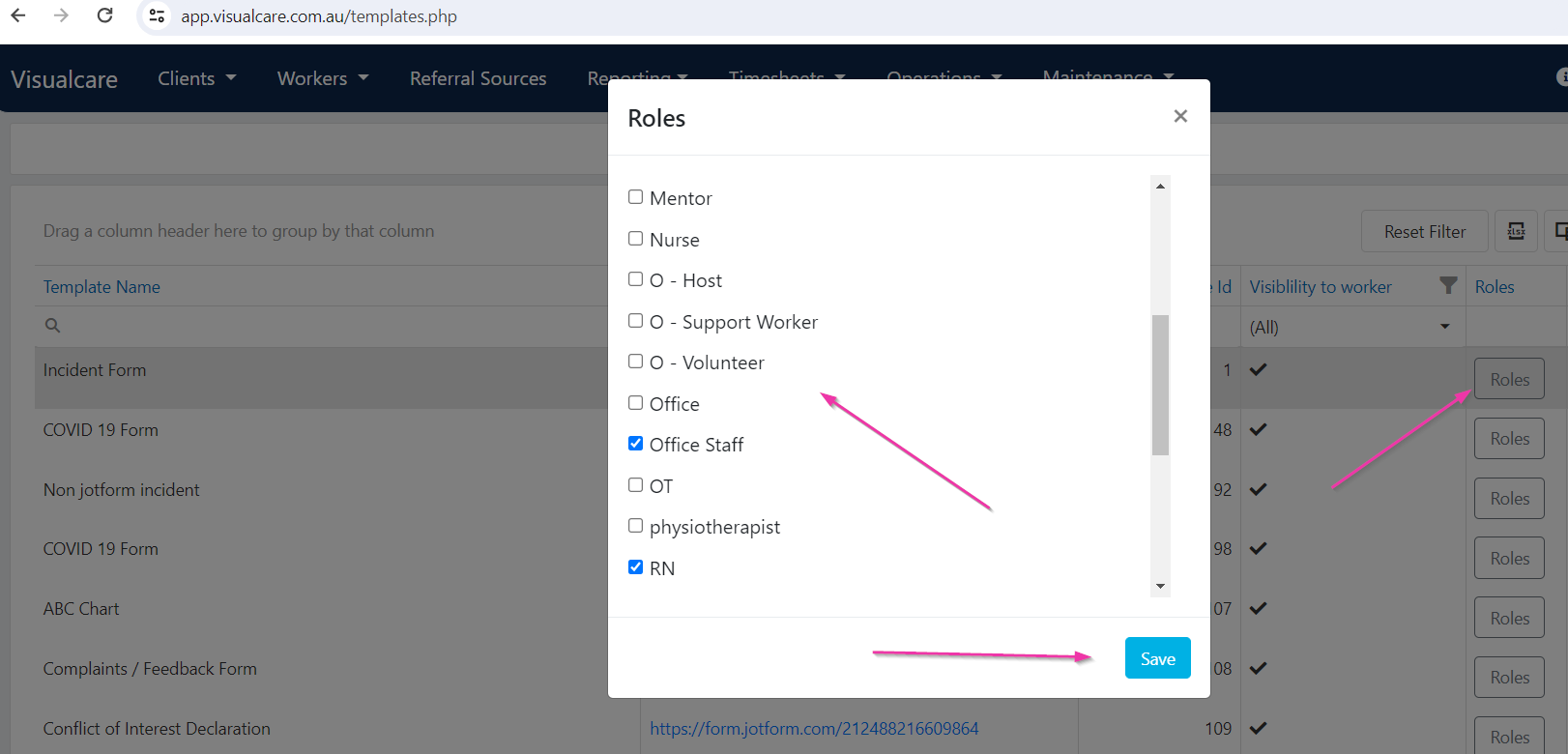
To control which worker roles can access a template:- Select a template from the list
- Click Roles
- Tick the worker roles that should have access to the selected template
- Click Save
Form assignment options
Click Edit on a template to configure where and how the form is used: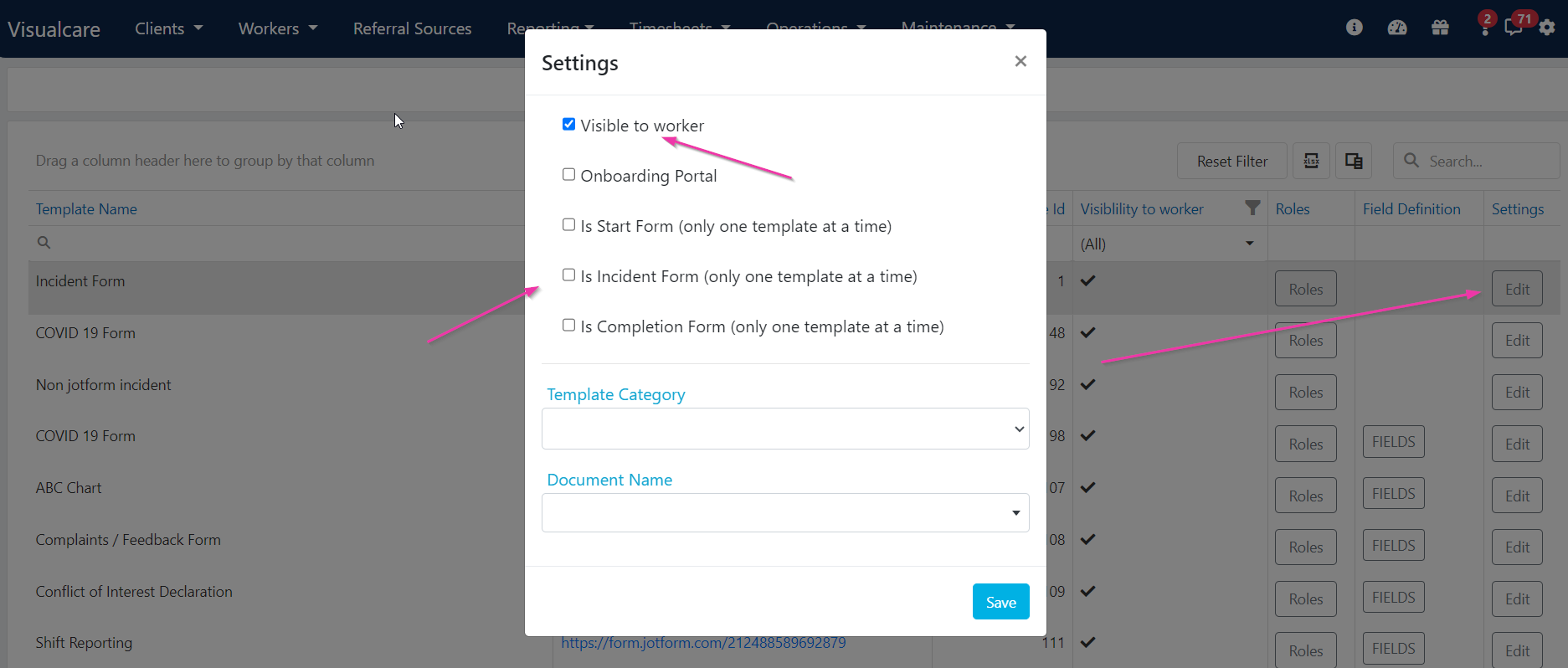
Only one template can be selected at a time for incident, shift start, and shift completion forms.
Viewing template types in the list
To see which type each template is assigned to, drag the relevant column out of the Column Chooser into the grid. The column will contain links to view the form template.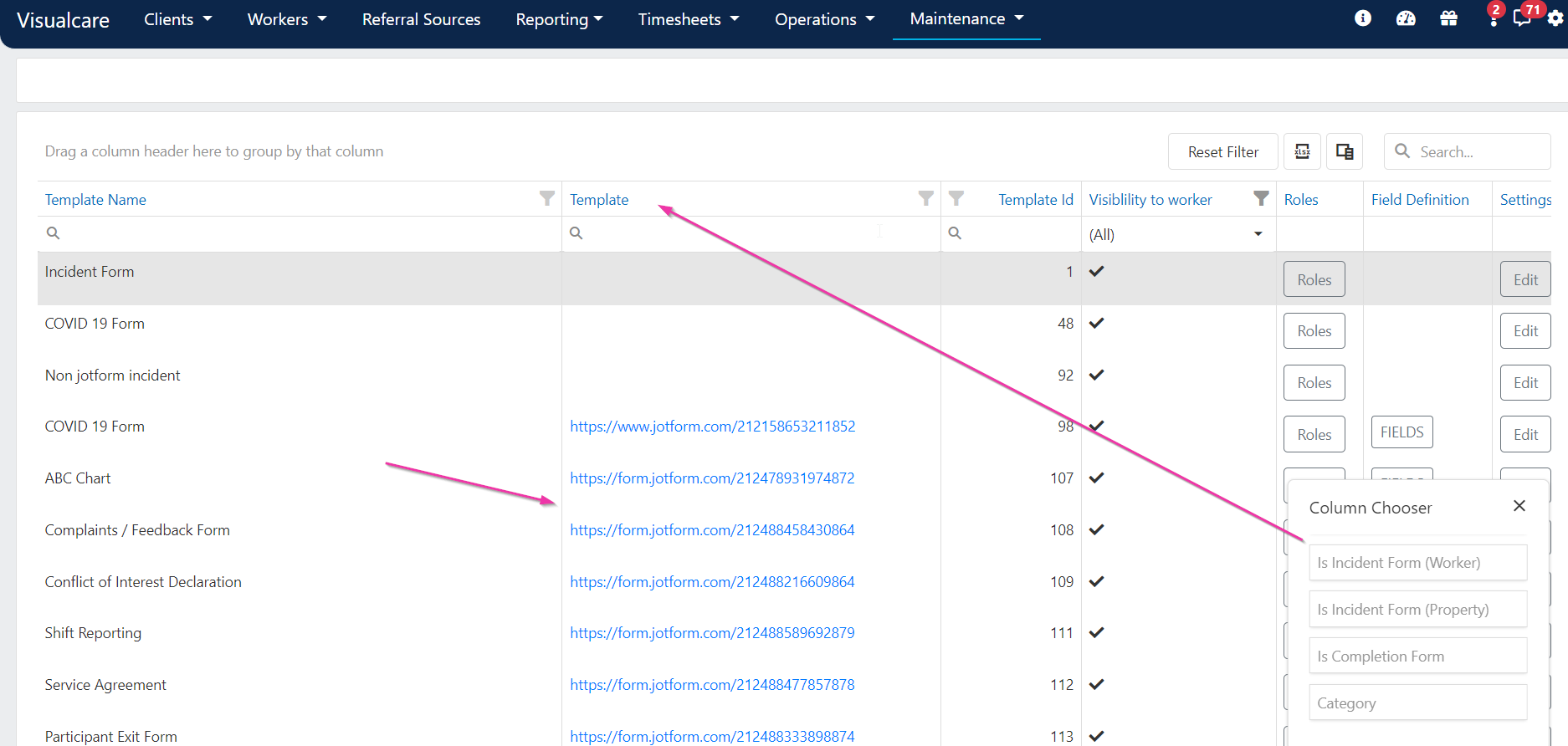
Word export tags
Field definitions contain word export tags that export information from a completed form into a Word document. For more information, see Word templates.Running into issues?
See General troubleshooting for common errors and fixes.Related articles
Creating forms
Create forms on client and worker profiles
Word templates
Upload and manage Word document templates
Managing forms
View, edit, and manage completed forms