
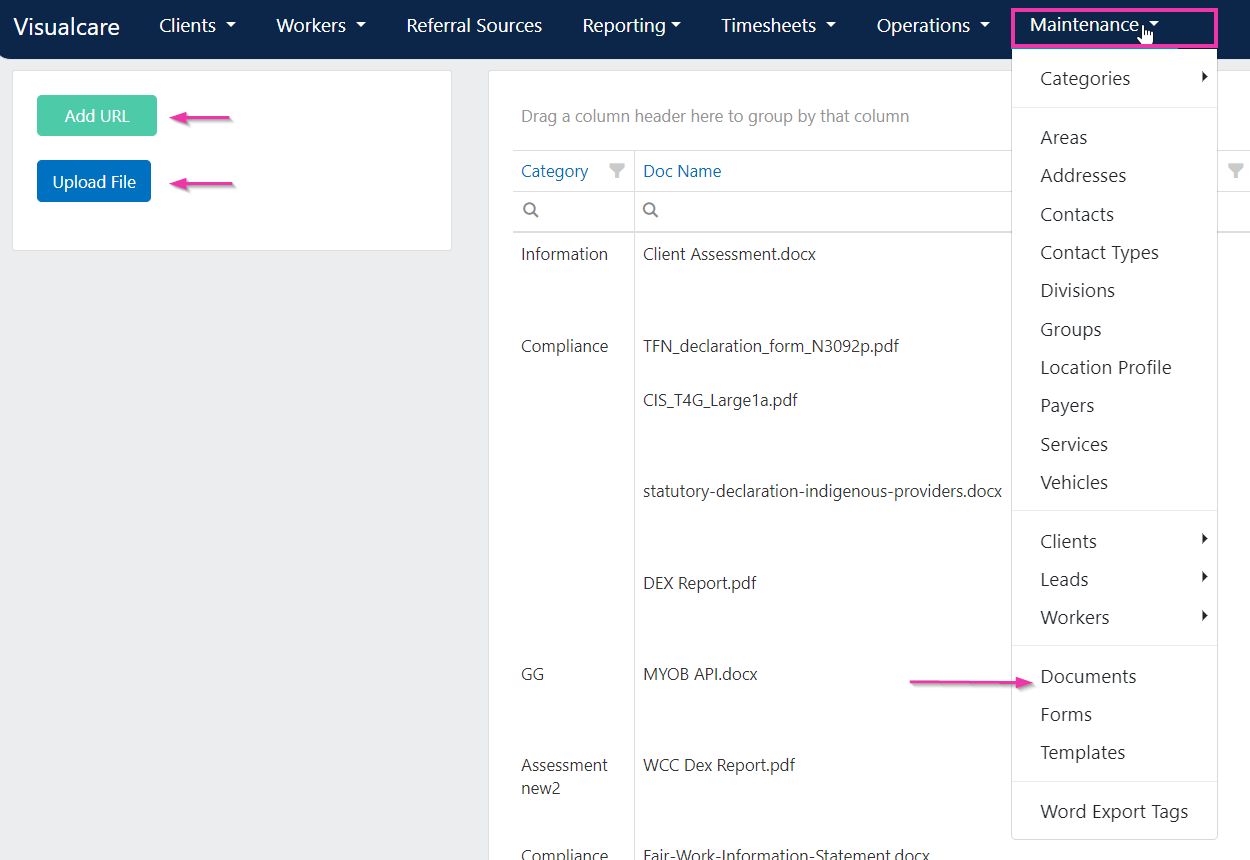
Uploading a Word template
To upload a file or add a URL, select the relevant option from the documents page. Common Word template types include:- Agreement
- Client or worker profile
- Transport run
- Quotes (NDIS)
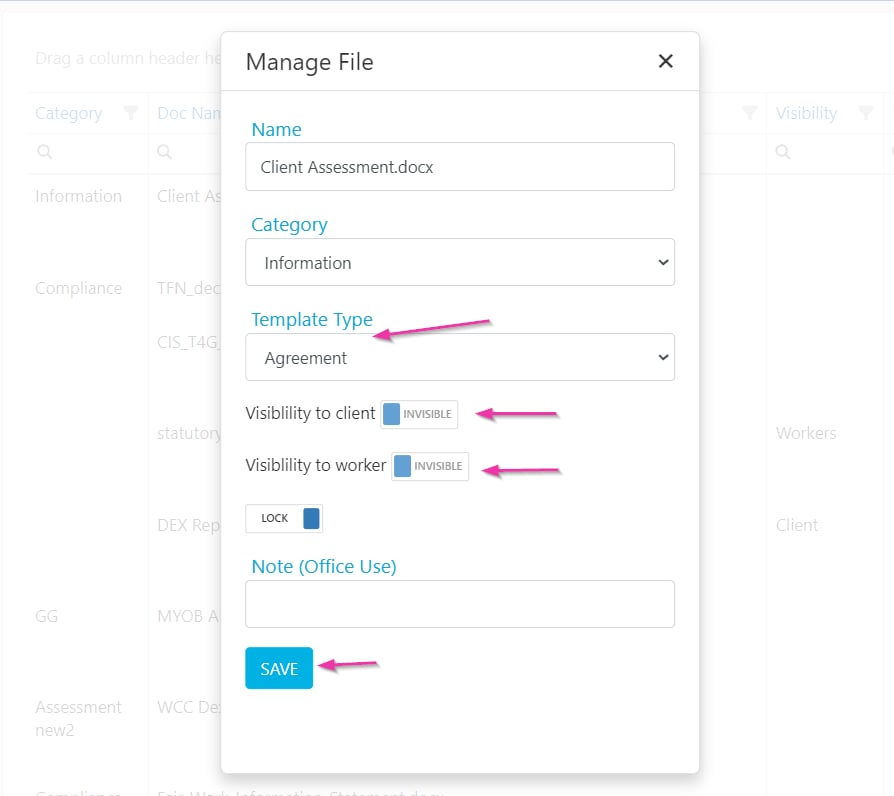
Template settings
When managing a document, you can configure the following options: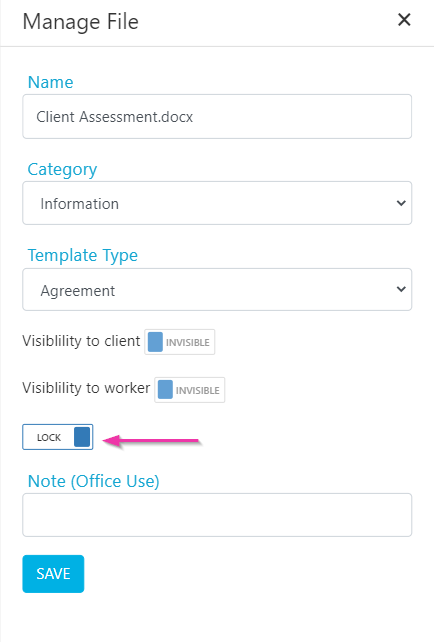
Word export tags
Word export tags allow you to insert placeholders into your Word document that automatically fill with data when exported from vCore. These tags pull information from completed forms and profile data.Available funds tags
The “Available Funds” concept is called Unallocated Package in Visualcare. Use the following export tags in the Summary Section of your Word export template to display available funds data:Two similar-sounding values are easy to confuse: Unspent Funds is the HCA balance - the opening balance at the start of the quote - while Unallocated Package is the available funds at the end of the quote period, after all charges and costs are applied.
Document categories
If the setting User Must Select Document Category When Uploading is enabled (in Settings → General), you need to select a document category before uploading a file to the documents page or to a client/worker profile.Users will only have access to documents for which they are granted permission. Document permissions are managed under Maintenance → Categories → Document Categories.
Running into issues?
See General troubleshooting for common errors and fixes.Related articles
Organisation document storage
Store and manage documents at the organisation level
Form templates
Manage template visibility and role access