
Uploading documents
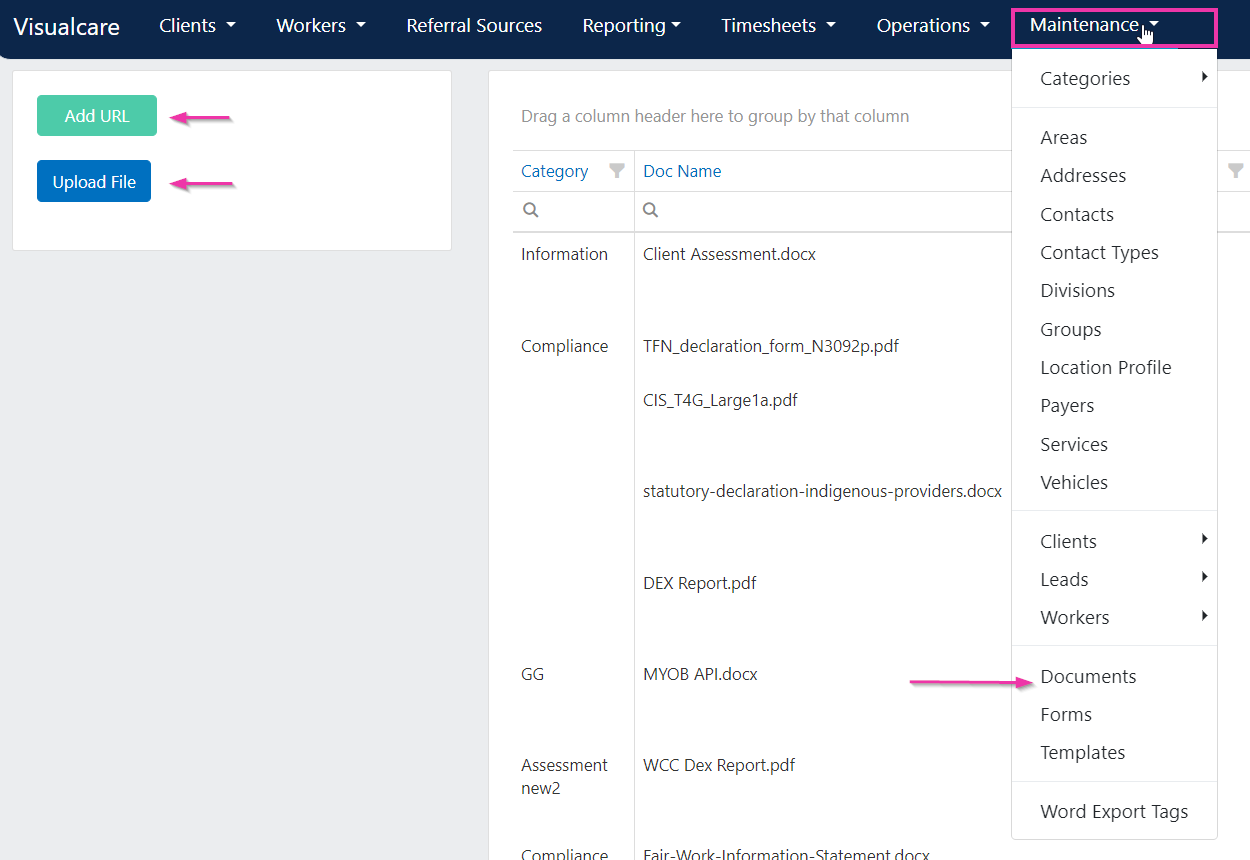
You can upload files or add URL links to the documents page.- Click Add a File or Add a URL at the top of the page
- Select or upload the document
- Click Manage to configure settings for the uploaded document
File uploads have an 8MB maximum per file. Compress or split larger files, upload from a local copy rather than a cloud location like OneDrive or Google Drive, and avoid filenames containing the text
system(, which fails validation. See Document upload fails for more detail.Adding a URL
Add a URL links to a document that is already hosted elsewhere (for example, a policy PDF on your website or a shared drive link). Visualcare does not host or generate the URL - paste in the existing web address, then click Manage to set the document’s category and visibility.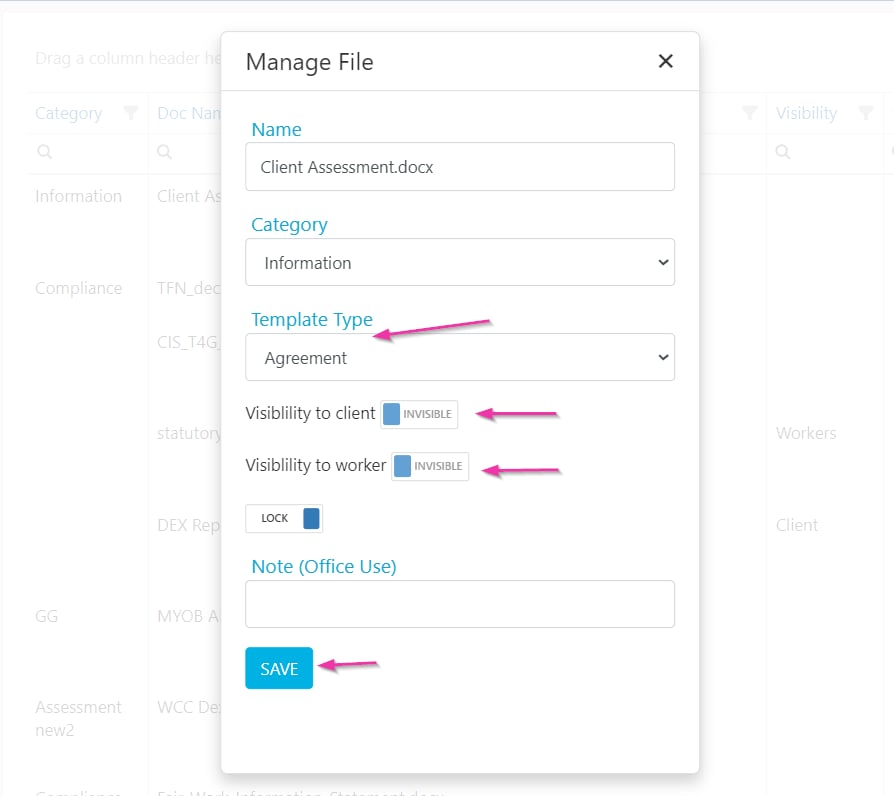
Visibility settings
When managing a document, set its visibility to control who can access it:Locking documents
Documents can be locked to prevent accidental deletion. When a document is locked, the delete button is disabled.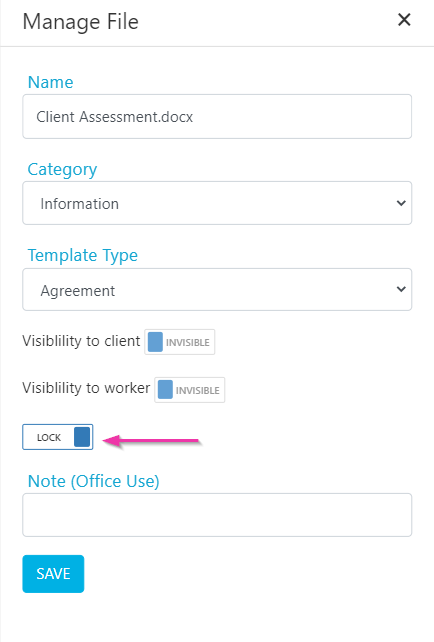
Document categories and permissions
Requiring a category on upload
If the setting User Must Select Document Category When Uploading is enabled (in Settings → General), you need to select a document category before uploading any file.Managing access permissions
Users only have access to documents for which they are granted permission. Document permissions are managed under Maintenance → Categories → Document Categories, where you set access by user group and worker type.Running into issues?
See General troubleshooting for common errors and fixes.Related articles
Word templates
Upload Word templates with export tags
Editing drop-down lists
Manage document categories and other list values