
Unpaid break
Use an unpaid break when the worker is not paid for the break time.1
Open the shift
Open the shift in the roster.
2
Turn on the unpaid break
Tick Shift has unpaid break.
3
Enter the break details
Enter the Unpaid Break Start time and the Unpaid Break Duration in minutes.
4
Save the shift
Save the shift. The break now shows on the worker’s shift in the vWorker app.
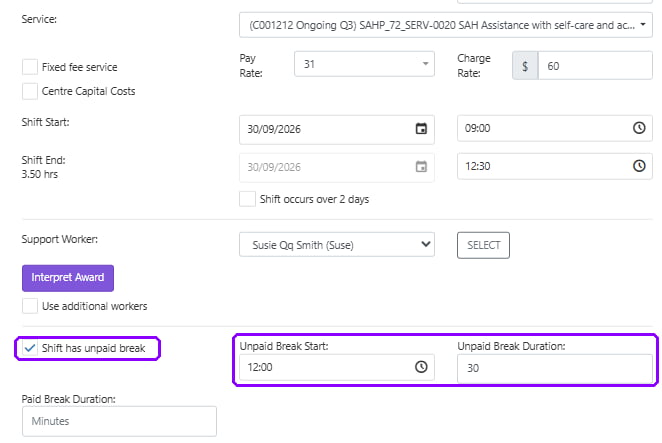
Unpaid break fields on the shift in the roster
What the worker sees
The worker sees how long the break is and what time to take it.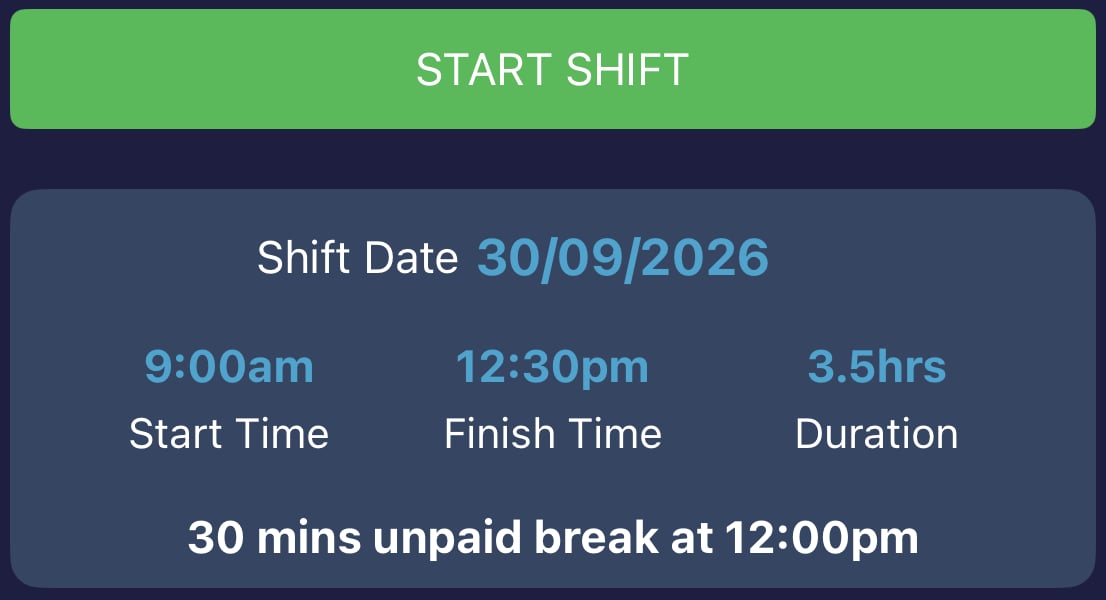
Unpaid break on the shift screen in the vWorker app
Charging the client for unpaid break time
The worker is not paid for an unpaid break. Whether the client is charged for the break time depends on the Charge Client for Unpaid Break Time setting in Data Export.- Yes: the client is charged for the full shift, including the break.
- No: the client is not charged for the break time.
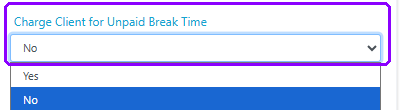
Charge Client for Unpaid Break Time setting in Data Export
This setting applies to all unpaid breaks across your account, not to individual shifts.
Paid break
Use a paid break when the worker is paid for the break time.1
Open the shift
Open the shift in the roster. Leave Shift has unpaid break unticked.
2
Enter the break length
Enter the break length in minutes in Paid Break Duration.
3
Save the shift
Save the shift. The break now shows on the worker’s shift in the vWorker app.
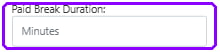
Paid Break Duration field on the shift in the roster
What the worker sees
The worker sees how long their paid break is. No set break time is shown.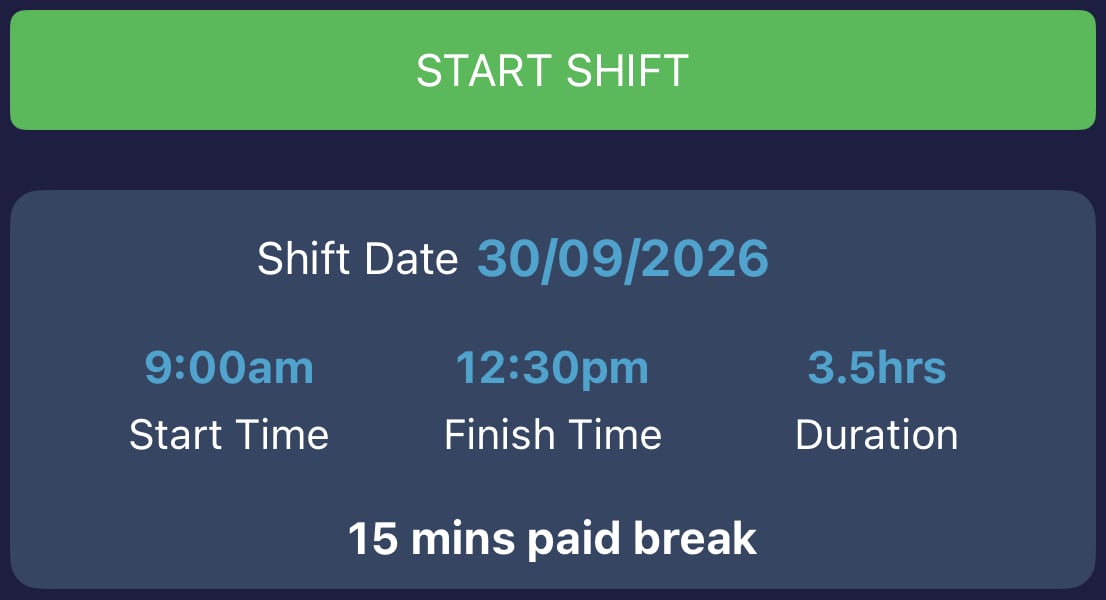
Paid break on the shift screen in the vWorker app
Pay the worker and charge the client for a break
If you want to pay the worker for the break and charge the client for it, don’t use either break field.1
Leave both break fields empty
Open the shift in the roster. Leave Shift has unpaid break unticked and Paid Break Duration blank.
2
Add a note for the worker
In Notes - this flows through to app, add a note letting the worker know they have a break during the shift. For example: You have a 15 minute paid break during this shift.
3
Save the shift
Save the shift. The worker is paid for the full shift and the client is charged for the full shift.